
Today’s project is a continuation of yesterday’s POST! I am in love with the Monster Bash Designer Series Paper, and this is one of my favorite sheets in the pack:

How adorable are these images for Halloween?! There are 44 different images on this sheet and you get 2 sheets in 1 pack of the Monster Bash Designer Series Paper – for a whopping total of 88 images!
So, if you LOVE to fussy-cut, this is a great, relaxing, stress-reliever for you! I, on the other hand, do not love to fussy-cut, so I took the lazy way out and used my Scan-N-Cut CM350! Here’s what the sheet looks like after my Scan-N-Cut did her thing:

Out of the 44 different images, she got 36! I’m a no-muss, no-fuss paper crafter, so I didn’t spend the time to fix the 8 images that didn’t quite cut right, HOWEVER, I did create 36 different mini 3″ x 3″ cards! Check them out:

Here’s a close-up of the one I shared yesterday:

These will be saved to give to my daughter’s classmates for Halloween!
Thank you so much for stopping by today! Have a wonderful & blessed day!
MEASUREMENTS:
- Basic Black card base – 3″ x 6″, scored and folded in half at 3″
- Pumpkin Pie layer – 2-5/8″ x 2-5/8″
- Monster Bash DSP layer – 2-1/2″ x 2-1/2″
SUPPLIES (CLICK ON ANY PRODUCT TO SHOP ONLINE):
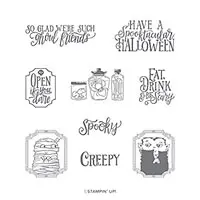
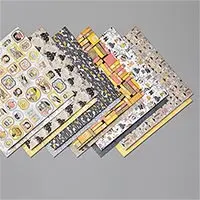


Have a question or comment about today’s post? I’d love to hear from you!
If you enjoyed this post, here are more ways to stay inspired:
- Join my email list and get my free Shadow Box Worksheet
- Shop with me and earn Stampin’ Rewards on orders of $20+
- Explore my project gallery for more creative ideas
Julie , I have the same one , did you put an out line of .4 or .8 , I did some with mine , I use.4 out line ,
I love love MINE …. NO FUSSING CUTTING FOR ME EITHER, LOL.
Hugs Frenchie ♥️
Hi Frenchie! I did not do an outline, so it just cut the images out without a border. I usually do a .4, but I think some of the images are too close together, so it was going to cut a big blob of them together – LOL!
I have been on the fence about an electronic cutting machine. This post is nudging me closer to the brink! I know it’s not a Stampin Up product, but would you be able to do a facebook live “show and tell” about the cutting machine?
Hi Theresa! Sure! I’d be happy to do a Facebook Live showing how I cut DSP & stamped images. Not sure when, but I will!
Great! Thanks!
What is a scan n cut. Sounds like something I might want in my inventory. I don’t like to fussy cut either.
Hi Dawn! It’s an electronic cutting machine, similar to a Cricut or a Silhouette. I only use mine to scan & cut stamped images that don’t have coordinating dies or if I plan to stamp & cut A LOT of images.